Ai News
Terrorists Could Exploit AI Weapons: Nigeria’s 5-Step Warning
Nigeria warns terrorists could exploit AI weapons. Learn 5 steps to counter AI-driven threats, from deepfake detection to regional cooperation.


You want to protect your community from the next wave of digital deception, and Nigeria’s security agencies have just issued a stark warning: terrorists could exploit AI weapons to spread chaos. The Chief of Defence Staff, Gen. Olufemi Oluyede, warned that AI-generated videos, manipulated images, and cloned voices are already being used to mislead the public and endanger troops. This isn’t a distant threat. It’s happening now, and you can take concrete steps to defend against it.
Understand The Threat Landscape
Terrorist groups like ISWAP, Boko Haram, and Jama’at Nusrat al-Islam wal-Muslimin are moving faster than state procedures. According to the African Union Counter-Terrorism Centre, these groups use cheap, accessible technologies to recruit via social media, move funds through mobile money and cryptocurrencies, and fly drones across borders. They also use artificial intelligence to tailor propaganda and evade detection. The warning from Nigeria is clear: terrorists could exploit AI weapons not just in physical attacks but in information warfare that undermines public trust.

MI5 chief Sir Ken McCallum has echoed this, stating that AI could give terrorists access to bioweapons or generate new pathogens if guardrails fail. He noted that AI is already supercharging the cybersecurity contest and that terrorists have been caught seeking to exploit AI to improve reconnaissance and attack methodologies. The threat is real, but it hasn’t fully materialised yet. That gives you a window to act.
Step 1: Verify Before You Share
Your first line of defence is scepticism. Deepfakes and AI-generated videos are designed to trigger panic. Gen. Oluyede urged journalists to verify sensitive operational information with Defence Headquarters before publication. You should do the same: before sharing any shocking video or image, check the source. Look for inconsistencies in lighting, shadows, and audio sync. Use free tools like InVID or Google Reverse Image Search to trace the origin. If it’s from an unverified social media account, treat it as suspect.
Step 2: Strengthen Digital Literacy In Your Circle
The National Counter-Terrorism Centre (NCTC) is training security experts in cyber threat intelligence, open-source intelligence, digital forensics, and blockchain analysis. You can adopt similar practices. Teach your family and colleagues to recognise AI-generated propaganda. The Nigerian military is investing in AI-enabled decision support and joint intelligence fusion, but public awareness is equally critical. A single AI-generated video could undo months of operational gains, as Oluyede warned. Share this knowledge widely.
Step 3: Report Suspicious Content
If you encounter content that appears designed to incite fear or undermine confidence in the Armed Forces, report it. The Defence Correspondents Association of Nigeria (DECAN) conference highlighted the need for collaboration between the media and the military. You can flag suspicious posts to platforms and to local authorities. The AUCTC’s Cybersecurity Capability Programme (A3CP) 2026–2030 emphasises private-sector collaboration because much of the infrastructure exploited by terrorists is privately owned. Your report could disrupt a propaganda campaign.
Step 4: Support Regional Cooperation
The threat doesn’t respect borders. The AUCTC training in Abuja brought together experts from West Africa and the Sahel to share tactics. You can support this by staying informed about regional security initiatives and advocating for better funding. Former Senate President Ahmed Lawan called for defence budgets to be placed on first-line charge to ensure predictable funding. When your community understands the stakes, you can push for policies that close the digital space to violent extremists.
Step 5: Prepare For Bioweapon Misuse
The most serious potential danger, according to McCallum, is AI’s potential to change the stakes on existing or new bioweapons. While this threat hasn’t fully emerged, you can advocate for stronger biosafety measures in your local institutions. The UK’s AI Security Institute is working with MI5, GCHQ, and MI6 to tackle these risks. Nigeria’s warning should spur similar collaboration. Stay informed about biosecurity policies and support efforts to monitor AI’s dual-use potential.
What This Means For You
The warning that terrorists could exploit AI weapons is a call to action, not a reason to panic. By verifying content, educating others, reporting suspicious activity, supporting regional cooperation, and advocating for biosecurity, you become part of the defence. The technology will keep evolving, and so must your vigilance. Start with one step today—verify the next video you see before you hit share. That small habit could prevent a cascade of misinformation and save lives.
For more details on the AUCTC’s findings, read the full report. For MI5’s assessment, see WION’s coverage. And for the Nigerian military’s deepfake warning, visit The Guardian Nigeria.
Frequently Asked Questions
What specific AI threats did Nigeria warn about?
Nigeria’s Chief of Defence Staff warned that AI-generated videos, manipulated images, and cloned voices are being used to mislead the public, incite fear, and endanger troops. The AUCTC also highlighted terrorists’ use of AI for propaganda, recruitment, and drone operations.
How can I tell if a video is AI-generated?
Look for inconsistencies in lighting, shadows, and audio sync. Use tools like InVID or Google Reverse Image Search to trace the source. Verify with official channels before sharing.
What is the AUCTC doing to counter these threats?
The AUCTC is training experts in cyber threat intelligence, open-source intelligence, digital forensics, and blockchain analysis. It also promotes regional cooperation and private-sector collaboration through its Cybersecurity Capability Programme (A3CP) 2026–2030.
Related Articles
- Keep curly hair hydrated this winter: 3-step layering
- Modern Warfare 4 Release Times: 3 Early Access Dates
- 9 Best Hair Thickening Shampoos for Men in 2026
- African Streaming Growth: 2 Nations, 1 Big Money Problem
- Best Documentary 2026: 1972 Cocktail Party Story
 Follow AFRILATEST on Google News
FIRST TIME REACTIONS:
Be the first to leave us a comment – Terrorists Could Exploit AI Weapons: Nigeria’s 5-Step Warning, down the comment section.
JOIN US ON OUR SOCIAL MEDIA:











Ai News
OpenAI claims ex-employee took 100+ files to Apple
OpenAI claims ex-employee took 100+ confidential files to Apple, including unreleased device images. Here’s what the filing says and what it means.

OpenAI claims ex-employee took 100 confidential files, and the company wants a court to decide whether those files are now shaping Apple’s hardware roadmap. The allegation landed Wednesday in a filing tied to the ongoing trade secrets fight between the two companies. According to The Verge, the unnamed worker moved more than a hundred documents to personal accounts before walking out the door.
The story has a twist that matters. Apple sued OpenAI first, back in July, accusing two former Apple employees of carrying confidential engineering data to the ChatGPT maker. OpenAI denied it then. Now OpenAI is doing the accusing, and the target is Apple.
What OpenAI Actually Alleges
The filing describes an employee who worked at Apple, joined OpenAI for six months, then went back to Apple. On June 2, 2026, his final day at OpenAI, some files were allegedly sent just after midnight Singapore time, per The Register.
The documents allegedly included detailed images of at least one unreleased OpenAI device, engineering and manufacturing data, supplier information, project files, and specs for cosmetic finishes. There were also reports on coating and sealing hardware components.
That last detail is not trivial. Cosmetic finish standards and coating reports are the kind of material that takes years and millions of dollars to develop through trial and error. You cannot reverse-engineer a finish from a marketing photo. You can shortcut it from a spec sheet.
OpenAI also claims the former employee gave a presentation about OpenAI’s product plans to Apple’s senior leadership, including Apple’s vice president of operations in Asia. The company links that presentation to Apple’s new HomeView smart display and the broader slate of devices Apple revealed this week.
“That presentation appears to have happened months ago — and now, armed with that information, Apple is making a new push into AI-enabled products,” OpenAI said in the filing.
Apple’s Response
Apple says it has policies in place to stop new hires from bringing over confidential material from previous employers. The company told Reuters it found no evidence supporting OpenAI’s allegations and hasn’t responded to requests for more information. A spokesperson said Apple has strict rules and found nothing to back the claim.
Apple did not immediately respond to The Verge’s request for comment.
The Timing Is Awkward
The filing surfaced the same day as a key hearing in the case. US District Judge Edward Davila said he was “highly likely” to side with Apple on its request for an injunction barring ex-Apple employees now at OpenAI from using Apple’s proprietary information, according to Bloomberg. He was less receptive to Apple’s demand for a forensic inspection of all OpenAI devices and code repositories, calling it a “huge ask.” Apple reportedly agreed to narrow the inspection to a handful of former employees.
So both companies are asking courts to believe the other one stole secrets. Apple’s July lawsuit named Chang Liu, a former senior system electrical engineer, and Tang Yew Tan, a former VP of product design. Liu allegedly kept an Apple-issued laptop and used a software bug to access confidential files after leaving. The complaint says he celebrated the access in a message on a colleague’s laptop, writing “LOL” and calling it “so funny.” Tan allegedly emailed himself supplier information before his exit.
OpenAI denies those claims outright. “We have no interest in other companies’ trade secrets,” the company said in July.
What This Means For Anyone Building Hardware
Trade secret litigation between hardware companies is not new, but the speed and scale here are unusual. Two companies with no shipped competing product in the same category are already fighting over who saw whose supplier list.
For engineers and product managers, the practical lesson is unglamorous. Your personal email is discoverable. Your final week at a company is logged. Midnight timestamps in a court filing look exactly as bad as they sound.
For anyone watching the AI hardware race, the more interesting question is what Apple actually does next. The HomeView display and the other devices announced this week are real products with real ship dates. Whether they were informed by OpenAI documents is something only discovery will settle.
OpenAI wants the court to establish whether its confidential information reached Apple and whether there are grounds for counterclaims. The New York Post reports that no counterclaims have been filed yet.
Where It Stands
Nothing is proven. OpenAI has allegations, a forensic investigation it says is ongoing, and a court filing. Apple has a denial, a policy statement, and its own pending lawsuit. Judge Davila has signaled he leans toward Apple on the injunction but pushed back on the scope of the inspection.
The case will grind on through discovery, and the documents both sides produce will matter more than the press coverage. For now, OpenAI claims ex-employee took 100 files it considers its most valuable hardware work, and Apple says it has seen no evidence of it.
If you work in hardware and you are about to change jobs, the safest move is the boring one. Leave the laptop. Leave the files. Leave the supplier spreadsheet. The next company will not thank you for it in court.
Frequently Asked Questions (OpenAI claims ex-employee took 100)
What exactly did OpenAI accuse the former employee of taking?
According to the filing, more than 100 confidential files including detailed images of at least one unreleased OpenAI device, engineering and manufacturing data, supplier information, project files, cosmetic finish standards, and reports on coating and sealing hardware components.
What does Apple say about the allegations?
Apple says it has policies preventing new employees from using confidential information from previous employers and that it found no evidence supporting OpenAI’s claims. Apple did not immediately respond to The Verge’s request for comment.
How does this relate to Apple’s earlier lawsuit against OpenAI?
Apple sued OpenAI and two former Apple employees in July 2026, alleging they took confidential hardware information to OpenAI. OpenAI denied those claims. This new filing is OpenAI’s counter-accusation within the same broader trade secrets case.
Related Articles
- GBU-43/B MOAB: Why This 21,600-lb Bomb Won’t Crack Iran
- Big Walk Dev Explains Lack of Xbox: A Masterstroke or Missed Opportunity?
- Amazon Bee AI Devices: Frontier vs Eclipse Compared
- Billy Joel Health Update: Hydrocephalus Tests Before Tour
- Grian Chatten Solo Album: Will It Be Festival-Ready?
FIRST TIME REACTIONS:
Be the first to leave us a comment – OpenAI claims ex-employee took 100+ files to Apple, down the comment section.
JOIN US ON OUR SOCIAL MEDIA:
Ai News
Jailbroken PS5s Run Local AI Models at 124 Tokens/sec
Jailbroken PS5s now run local AI models at over 100 tokens per second. Here’s how the PS5LM fork works, what hardware it needs, and what to expect.

You want to run a local AI model on hardware you already own, without renting cloud GPUs or buying a $2,000 graphics card. A jailbroken PS5 can now do that. A new fork of PS5LM runs natively on the console, taps the GPU, and pushes smaller models past 124 tokens per second. That is not a typo, and it changes what a used PlayStation is worth to anyone who tinkers.
This guide walks through what changed, what you need, and how to think about the tradeoffs before you start.
What The New Fork Actually Does

The original PS5LM project came from GitHub user cobanov, who posted an unofficial port of llama.cpp to Reddit about two weeks ago. That version ran as a payload on the CPU, which meant it hijacked the processor and inserted the language model alongside the home screen and system services. The catch: RAM access was capped at roughly 6.25 GiB, because holding more would freeze the home screen. A 6.8 GiB model would crash the system outright.
Reddit user u/AdIllustrious7246 forked it and went native. By using PS5_Vulkan, a port of the RADV graphics driver that sends instructions to the PS5 GPU, the fork unlocks the AMD GPU that Sony normally keeps locked down. Native execution also raises usable memory to about 11.4 GiB.
The result: a 27B parameter model like Qwen3.8-27B runs at 20 tokens per second. Smaller models fly. Gemma 4 E4B hits 61 tokens per second. Llama 3.2 3B reaches 124 tokens per second.
What You Need Before You Start
A jailbroken PS5. This is not a soft mod. The exploit scene for the PS5 is narrower than the PS4’s, and firmware versions matter enormously. If your console is on a patched firmware, you are out of luck for now.
A working PS5_Vulkan setup. This driver port is what makes GPU access possible. Without it, llama.cpp can only crawl along on the CPU. The Vulkan layer is the bridge between homebrew code and the AMD silicon inside the console.
A model file that fits. The fork supports up to roughly 11.4 GiB of RAM, so quantized models in the 3B to 27B range are the sweet spot. Llama 3.2 3B is tiny and fast. Qwen3.8-27B is the ambitious pick.
Patience. This is a homebrew workflow. Expect to read GitHub issues, follow Reddit threads, and troubleshoot driver quirks. The payoff is a console that doubles as an offline AI assistant when you are not gaming.
How To Run It, Step By Step
Step 1: Confirm your firmware and exploit path. Check your PS5 system version before anything else. The jailbreak community tracks compatible firmware on Reddit and Discord, and the wrong version means no homebrew at all.
Step 2: Install PS5_Vulkan. This is the graphics driver port that opens GPU compute. Without it, the PS5 GPU stays locked and your model runs on the CPU with a hard memory ceiling. Follow the project’s setup notes carefully, because driver installation is where most people get stuck.
Step 3: Load the PS5LM fork. Grab u/AdIllustrious7246’s fork of cobanov’s llama.cpp port. This is the version that runs natively rather than as a CPU payload, and it is the one that unlocks the extra RAM.
Step 4: Pick your model. Start with Llama 3.2 3B if you want to see the dashboard light up immediately at 124 tokens per second. Move to Gemma 4 E4B at 61 tokens per second for better output quality. Only load Qwen3.8-27B if you can tolerate 20 tokens per second, which is roughly conversational reading speed.
Step 5: Open the dashboard. The fork ships with a live dashboard showing tokens per second, GPU and CPU usage, power draw, temperatures, and how memory splits between the model and the KV cache. Watch the temperature line the first time you run a 27B model. Consoles were not built for sustained compute loads.
Step 6: Connect the web UI. The fork works with llama.cpp’s web UI, so you can chat with the model from another device on your local network using a browser. That turns the PS5 into a quiet server in the corner of the room.
Tips, Limits, And The Honest Tradeoffs
The PS5 GPU is not fast by modern standards, and it does not have much RAM. That is exactly why this works as a curiosity and not as a replacement for a dedicated AI rig. A desktop with a recent graphics card will still beat it on large models.
Commenters on the original coverage are already joking about a repeat of the crypto mining GPU crisis, where consoles got bought up for compute instead of games. That comparison does not hold. The GPU and RAM shortage we are living through is driven by large AI data centers, not by a few thousand jailbroken PlayStations. The PS5’s hardware is simply too modest to move those markets.
What it does move is the value proposition for hobbyists. If you already own a jailbroken console, you now have an offline AI assistant that costs nothing per token and never sends your prompts anywhere. For anyone in a region where cloud API costs or unreliable connectivity are real obstacles, that matters more than benchmark numbers.
Where To Go Next
Try the smallest model first, watch the dashboard, and get comfortable with the workflow before you push a 27B file onto the console. If the temperatures hold and the tokens keep flowing, the next step is pointing the llama.cpp web UI at your phone or laptop and using the PS5 as a household AI endpoint. The jailbroken PS5s running local AI models at over 100 tokens per second are not a threat to the data center. They are a reminder that the hardware sitting under your TV has been capable of more than Sony ever intended, and someone finally proved it.
Frequently Asked Questions
Do I need a jailbroken PS5 to run local AI models?
Yes. The PS5LM fork and PS5_Vulkan driver only work on jailbroken consoles. Stock firmware blocks homebrew entirely, and the compatible firmware range is narrow.
How fast is the PS5 at running LLMs?
According to the developer’s testing, Llama 3.2 3B runs at 124 tokens per second, Gemma 4 E4B at 61 tokens per second, and Qwen3.8-27B at 20 tokens per second.
Will this cause another GPU shortage like crypto mining?
Unlikely. The current GPU and RAM shortage is driven by large AI data centers, and the PS5 does not have a fast enough GPU or enough RAM to affect those markets.
Related Articles
- Big Walk Dev Explains Lack of Xbox: A Masterstroke or Missed Opportunity?
- Amazon Bee AI Devices: Frontier vs Eclipse Compared
- Billy Joel Health Update: Hydrocephalus Tests Before Tour
- Grian Chatten Solo Album: Will It Be Festival-Ready?
- Pro Dota 2 Player Claims He Had to Play a Match to Prove Identity
FIRST TIME REACTIONS:
Be the first to leave us a comment – Jailbroken PS5s Run Local AI Models at 124 Tokens/sec, down the comment section.
JOIN US ON OUR SOCIAL MEDIA:
Ai News
n8n Saved Me More Time Than Any AI Tool This Year
n8n saved me more time than any AI tool this year. Here’s how the workflow automation platform compares to Zapier, what it costs, and who should use it.

n8n is a workflow automation tool that connects your apps, runs the steps you define, and keeps working while you sleep. It saved me more time this year than any AI tool I pay for, and that includes Claude, ChatGPT, and a handful of transcription APIs.
The reason is simple. Most AI tools answer a question or draft a paragraph. n8n takes a task off your plate entirely, then repeats it every time the trigger fires. No prompt. No tab switching. No copy-paste. You build the workflow once, and it runs unattended.
Marc Palet, a 26-year-old venture capitalist at OMVC in Singapore, described a similar shift in his own stack. He spends more than $120 a month across Claude, ChatGPT, n8n, and transcription tools, and he says AI has not replaced any of his software subscriptions. It added more. The workflows he built now handle meeting summaries, knowledge ingestion, quarterly LP reports, and audit prep. Those are the tedious tasks that used to eat his week.
What n8n Actually Does
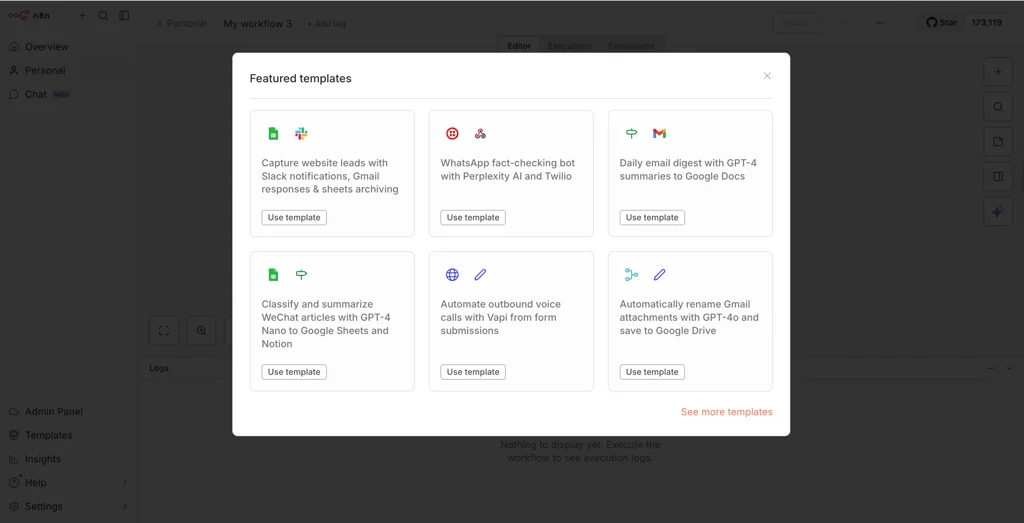
n8n is a visual workflow builder. You drag nodes onto a canvas, connect them, and define what happens when something triggers the flow. A node might watch your Gmail inbox, pull data from Slack, call an AI model, write to a database, or send a message. The platform supports more than 400 native nodes and over 1,000 more through HTTP request nodes, according to a Cybernews comparison of n8n and Zapier.
Unlike Zapier, which is cloud-only, n8n can run on your own server. That matters if you handle sensitive data. Credential encryption, self-hosting, and open-source extensibility are built in. Both platforms carry GDPR, SOC 2 Type II, SOC 3, and CCPA certifications, but only n8n lets you keep everything on hardware you control.
How To Get Started With n8n
The cheapest path is the free self-hosted edition. You install it on a VPS or a spare machine, and you pay nothing beyond hosting. There is also a free cloud plan and a 14-day trial on premium plans. Paid cloud starts at $20 per month, which undercuts Zapier’s $19.99 monthly annual rate on paper but scales differently.
Zapier charges by task volume. n8n charges by execution, which means a workflow with twenty steps inside it counts as one execution. For high-volume, multi-step automations, that pricing model gets cheaper fast. For simple two-step Zaps, Zapier stays competitive.
Setup takes longer with n8n. The Cybernews team found that building a first workflow required more time and some coding knowledge. Error messages, though, are detailed enough to show exactly what broke. Zapier’s messages are friendlier but vaguer.
Where n8n Wins
Branching and conditional logic are where the two tools separate. Zapier keeps automations mostly linear and gates real branching behind its premium Paths feature. n8n uses IF, Switch, and Merge nodes to build multi-path workflows without artificial limits or extra cost.
Error handling is the other gap. Zapier retries failed tasks automatically, but you get little control beyond re-running the Zap. n8n offers full retry control, custom fallbacks, and dedicated error branches. A workflow that hits a bad API response can route around it instead of dying mid-run.
Loops and batching tell the same story. Zapier struggled with large data sets in testing and often needed premium workarounds. n8n handles them natively.
AI Steps Inside Workflows
Both platforms now support AI-assisted workflow building. Zapier’s AI Copilot takes a plain description and suggests steps. n8n’s AI builder expects more precise input, especially when your flow branches. In practice, both produced workable workflows at similar speed.
Inside a live workflow, AI is best for summarizing text, classifying data, extracting fields from messy content, and routing leads. Zapier makes those steps quick to add. n8n gives you more control when you need to combine AI output with conditions and custom logic.
One honest caveat from the Cybernews testing: AI is not fully reliable in either tool. For workflows where accuracy is the priority, rule-based steps are still safer. Use AI for interpretation, not for decisions you cannot afford to get wrong.
How It Compares To Other Options
Zapier remains the fastest way to get a first automation running. Its 8,000+ app integrations and template library are hard to beat for plug-and-play work. Marketers and small teams who do not code will feel at home immediately.
Grok Bot, xAI’s autonomous agent platform that opened beta in August 2026, takes a different approach. You message a bot like a coworker and it handles multi-step tasks end-to-end, learning your preferences over time. It is faster to deploy for non-developers, and it is better suited to judgment-heavy, adaptive work. SuperGrok starts at $30 per month. But it launched in early beta, so treat it as powerful but still maturing.
OpenClaw, the self-hosted agent framework formerly known as Clawdbot, runs entirely on your own machine, including a Raspberry Pi. It offers full autonomy, pluggable models, and granular sandboxing. The trade-off is a steep learning curve, long LLM costs, and the risk that a misconfiguration leaks data or triggers unintended actions. It is not a beginner tool.
The rule of thumb: rule-based repetitive tasks suit n8n or Zapier. Judgment-heavy adaptive tasks suit an agent platform. Privacy-first, fully local setups point to OpenClaw or self-hosted n8n.
Who Should Use n8n
Developers, IT specialists, and privacy-focused teams get the most out of it. If you need complex branching, custom API connections, or data that never leaves your infrastructure, n8n is the stronger long-term investment. The steeper learning curve pays off once your workflows get complicated or your task volume climbs.
Skip it if you want automation running in ten minutes with zero technical input. Zapier wins that race, and there is no shame in picking it. Skip it too if your automations are simple two-step triggers that never branch. You will pay for flexibility you never use.
For everyone in between, start with the free self-hosted edition on a cheap VPS. Build one workflow that handles something you do every week. If it survives a month without babysitting, you have your answer.
That first Monday morning, when the report is already written and sitting in your inbox before you have opened your laptop, is the moment the subscription pays for itself.
Frequently Asked Questions
Is n8n free to use?
Yes. n8n offers a free self-hosted edition and a free cloud plan. Premium cloud plans start at $20 per month, and there is a 14-day free trial.
How does n8n pricing compare to Zapier?
Zapier charges by task volume, while n8n charges by execution. A multi-step n8n workflow counts as one execution, so n8n gets cheaper at scale for complex automations. Zapier’s Starter plan is $19.99 per month billed annually for 750 tasks.
Can n8n run on my own server?
Yes. n8n supports self-hosting, which keeps your data private and gives you full control over credentials and infrastructure. Both n8n and Zapier hold GDPR, SOC 2 Type II, SOC 3, and CCPA certifications.
Related Articles
- Big Walk Dev Explains Lack of Xbox: A Masterstroke or Missed Opportunity?
- Amazon Bee AI Devices: Frontier vs Eclipse Compared
- Billy Joel Health Update: Hydrocephalus Tests Before Tour
- Grian Chatten Solo Album: Will It Be Festival-Ready?
- Pro Dota 2 Player Claims He Had to Play a Match to Prove Identity
FIRST TIME REACTIONS:
Be the first to leave us a comment – n8n Saved Me More Time Than Any AI Tool This Year, down the comment section.
JOIN US ON OUR SOCIAL MEDIA:
-

 Startups3 weeks ago
What a Successful Dangote Refinery IPO Really Says
-
Trending Entertainment News6 days ago
Taylor Swift Joins Beatles as Only Acts With 100 Weeks at No. 1
-
World News3 weeks ago
Carney Calls U.S. Tariffs a Miscalculation as Canada Retaliates
-
Fintech3 weeks ago
OPay No Dey Comot Nigeria: How to Verify Fintech News
-
Nigerian Business3 weeks ago
Moniepoint POS Network: How to Buy Dangote Shares
-
Football3 weeks ago
Mexico vs Colombia 2026: Márquez Debut Ends in Defeat
-
Fintech3 weeks ago
OPay Investing in People to Build a Better Nigeria
-
Black Celebrities3 weeks ago
Brandi Carlile: Rock Star in Her Prime, On Tour Now